Which refurbished MacBook to buy?
From the MacBook Air M1 to the 16-inch MacBook Pro, here are the models we recommend for your budget and how you use your laptop, with today’s prices from the retailers we compare. They all have an Apple chip and get macOS 27 and Apple Intelligence: the differences lie in the screen, weight, battery life and ports.
Depending on how you use it
The right choice for what matters to you
-
For battery life
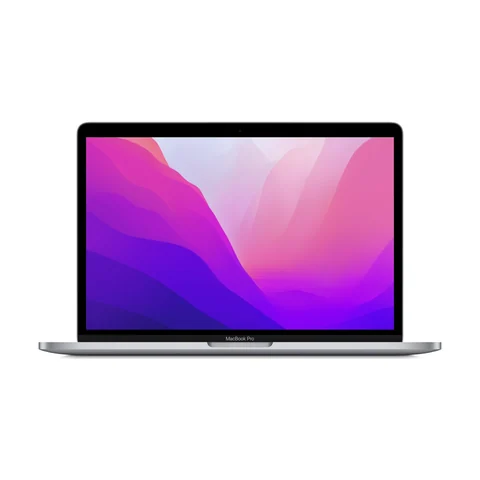
MacBook Pro 13 inch (M2, 2022)
from €862
new in 2022
17 hours of web browsing according to Apple, the most in the selection along with the 13-inch MacBook Pro M1; this one has the more recent M2 chip.
-
To take everywhere
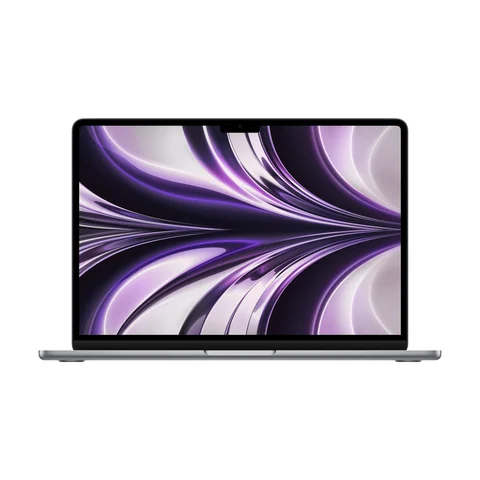
MacBook Air 13 inch (M2, 2022)
from €823
new in 2022
1.24 kg and 11.3 mm, like the MacBook Air M3: the lightest and thinnest in the selection. Released two years earlier, the Air M2 is usually the cheaper of the two.
-
For a large screen
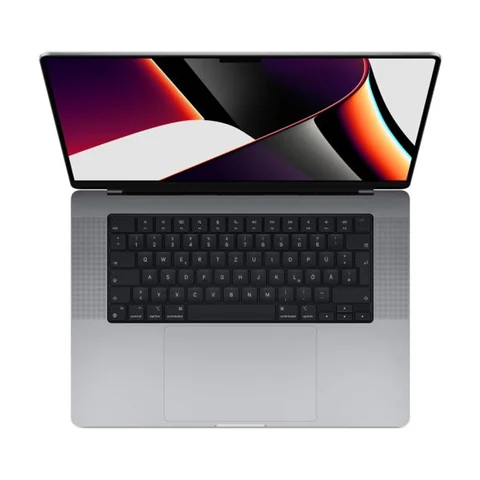
MacBook Pro 16 inch (M1 Pro, 2021)
from €1,064
new in 2021
16.2″ mini-LED screen (3456 × 2234), the largest in the selection, and an HDMI port to connect a second display.
-
To connect lots of devices
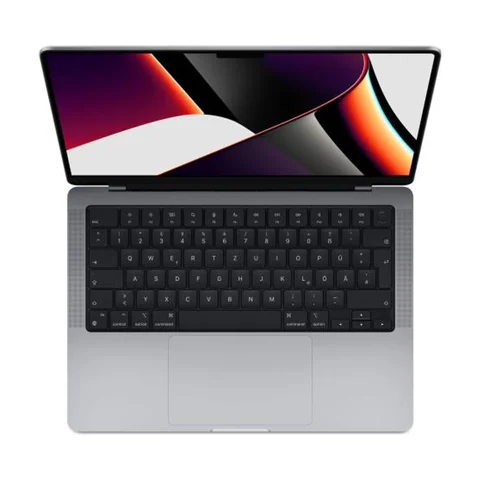
MacBook Pro 14 inch (M1 Pro, 2021)
from €939
new in 2021
HDMI, SD card reader, three Thunderbolt 4 ports and MagSafe 3, in a 14-inch model weighing 1.6 kg, lighter than the 16-inch (2.1 kg).
from €1,063
The best refurbished MacBooks
For those who want the most recent MacBook, or a large screen and plenty of ports for work.
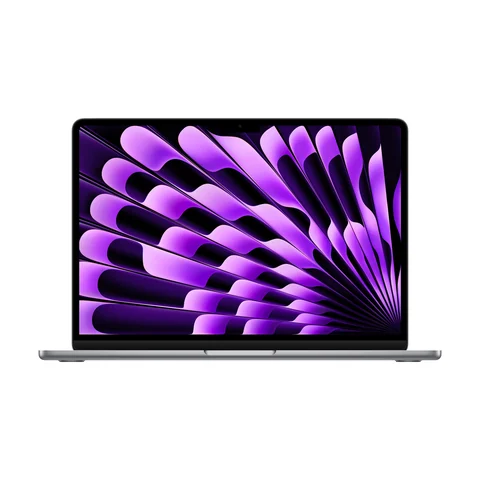
MacBook Air 13 inch (M3, 2024)
the most recent, thin and light
€1,063 Very good condition · delivery included
new in 2024
What we like
- The most recent in the selection (2024), M3 chip
- Thin and light: 11.3 mm, 1.24 kg
- 13.6″ screen (2560 × 1664)
- MagSafe 3 charging and 1080p FaceTime HD camera
- 15 hours of battery life according to Apple
Good to know
- Only two USB-C ports (Thunderbolt / USB 4)
- IPS LCD screen, without the mini-LED of the 14- and 16-inch MacBook Pro
Apple does not announce an end date for updates, but every MacBook in this guide, from the 2020 MacBook Air M1 to this MacBook Air M3, gets macOS 27. Released in 2024, the MacBook Air M3 is the most recent in the selection, so it should be updated for the longest. It has the same design as the MacBook Air M2, with the M3 chip.
View the product page for MacBook Air 13 inch (M3, 2024)MacBook Pro 16 inch (M1 Pro, 2021)
the large screen, for work
€1,064 Very good condition · delivery included
new in 2021
What we like
- Large 16.2″ mini-LED screen (3456 × 2234)
- M1 Pro chip: 10-core CPU, 16-core GPU
- HDMI, SD card reader, three Thunderbolt 4 ports and MagSafe 3
- At least 16 GB of RAM
- 1080p FaceTime HD camera
Good to know
- Heavy: 2.1 kg
- A 2021 chip, two generations older than the M3
For photos, video or several windows side by side, it has the largest screen in our selection, with mini-LED. It also has more ports than the MacBook Air, including HDMI and an SD card reader, and at least 16 GB of RAM. At 2.1 kg it is less easy to carry: the 14-inch MacBook Pro from the same year has the same ports and weighs 1.6 kg.
View the product page for MacBook Pro 16 inch (M1 Pro, 2021)from €823
The best value for money
For those who want a 2022 MacBook with the M2 chip, without paying for the most recent model.
MacBook Air 13 inch (M2, 2022)
the Air M3’s design, with the M2 chip
€823 Excellent condition · delivery included
new in 2022
What we like
- Same size as the MacBook Air M3: 11.3 mm, 1.24 kg
- 13.6″ screen (2560 × 1664)
- MagSafe 3 charging and 1080p FaceTime HD camera
- 15 hours of battery life according to Apple
Good to know
- M2 chip, a generation older than the M3
- Only two USB-C ports (Thunderbolt / USB 4)
The MacBook Air M2 has the same design, screen and ports as the MacBook Air M3, released two years later: the difference lies mainly in the chip. Compared with the MacBook Air M1, it adds MagSafe charging, a 1080p camera, a 13.6″ screen and a thinner body (11.3 mm versus 16.1 mm). For office work, browsing and studying, it is our first choice.
View the product page for MacBook Air 13 inch (M2, 2022)MacBook Pro 13 inch (M2, 2022)
battery life above all
€862 Very good condition · delivery included
new in 2022
What we like
- 17 hours of battery life according to Apple, the most in the selection
- M2 chip with a 10-core GPU on every version
- Up to 24 GB of RAM
Good to know
- 720p FaceTime HD camera
- No MagSafe, only two USB-C ports
- Heavier than the MacBook Air M2: 1.4 kg versus 1.24 kg
The 13-inch MacBook Pro M2 has the MacBook Air M2’s chip, always with a 10-core GPU, and the longest stated battery life in the selection: 17 hours. In return, it is heavier, has no MagSafe and keeps a 720p camera. Choose it if battery life matters more than weight.
View the product page for MacBook Pro 13 inch (M2, 2022)from €553
Budget picks
For studying, office work and browsing: the M1 chip gets macOS 27 and Apple Intelligence.
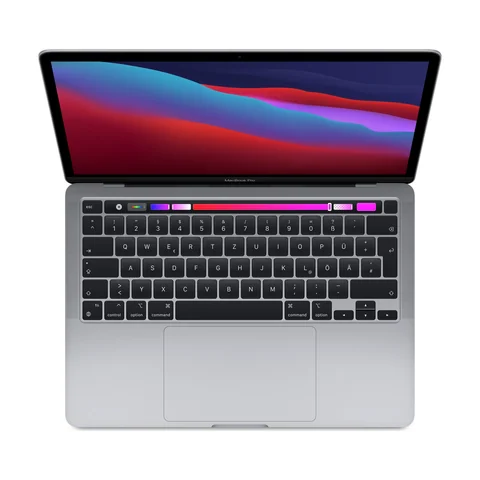
MacBook Pro 13 inch (M1, 2020)
the M1 chip and the longest battery life
€590 Very good condition · delivery included
new in 2020
What we like
- 17 hours of battery life according to Apple, the most in the selection along with the MacBook Pro M2
- M1 chip: gets macOS 27 and Apple Intelligence
- 8-core GPU on every version
Good to know
- 720p FaceTime HD camera
- No MagSafe, only two USB-C ports
- RAM limited to 16 GB
Released in 2020 with the M1 chip, it is, along with the MacBook Air M1, the oldest MacBook in our selection, so usually the cheapest. Yet it gets macOS 27 and Apple Intelligence. Compared with the MacBook Air M1, it offers 2 more hours of stated battery life, but weighs 110 g more.
View the product page for MacBook Pro 13 inch (M1, 2020)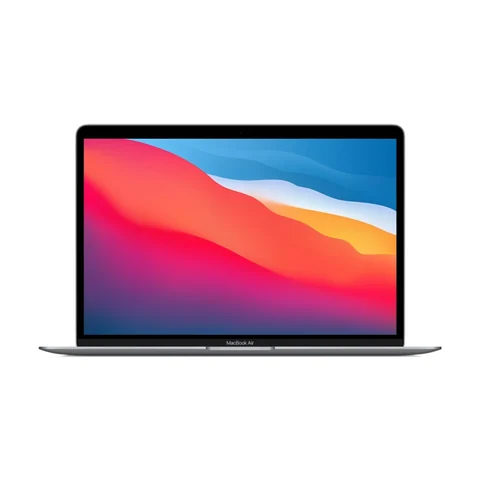
MacBook Air 13 inch (M1, 2020)
the M1 chip in 1.29 kg
€553 Very good condition · delivery included
new in 2020
What we like
- Light: 1.29 kg
- M1 chip: gets macOS 27 and Apple Intelligence
- 15 hours of battery life according to Apple
Good to know
- 720p FaceTime HD camera
- No MagSafe, only two USB-C ports
- 7-core GPU on some versions
The MacBook Air M1 is the lighter of the two 2020 MacBooks in our selection, and it too gets macOS 27 and Apple Intelligence. The MacBook Air M2 adds MagSafe charging, a 1080p camera, a 13.6″ screen and a thinner body: compare their prices before choosing.
View the product page for MacBook Air 13 inch (M1, 2020)Before you buy
How to choose
-
Which condition should you choose?
The condition describes the MacBook’s appearance (scratches, marks on the lid or underside), not how it works. Good or fair condition costs less, and its marks do not affect use. Choose excellent condition if appearance matters to you, for a gift for example.
How we judge condition -
What battery should you aim for?
We recommend a capacity of 85% or more. It is shown on each offer when the retailer gives it: the ‘Battery’ filter on the product page then lets you keep only the best ones.
-
How much RAM and storage?
8 GB of RAM is enough for browsing, office work and video; choose 16 GB for photo editing, video editing or lots of open apps. For storage, 256 GB is fine if you keep your files online, 512 GB or more if you keep photos and videos on the computer. Both vary from one offer to another: check them before you buy.
-
Which keyboard?
The same MacBook is sold with keyboards from different countries (French or Belgian AZERTY, QWERTY, QWERTZ…). When a retailer offers several keyboards, we only keep the French one in France, and the Belgian and French ones in Belgium. Otherwise the keyboard is not always stated: check it on the retailer’s page before you buy.
-
How long will it be updated?
Apple does not announce an end date. macOS 27, the current version, is available on every MacBook in this guide, from the MacBook Air M1 released in 2020 to the MacBook Air M3 released in 2024, and so is Apple Intelligence, which requires an M1 chip or later. As a rule, the more recent the model, the more years of updates it has ahead of it.
-
Which models should you avoid?
MacBooks with an Intel processor are not on the list of Macs compatible with macOS 27: this guide includes none of them. Among the Apple-chip models, the MacBook Air M1 and the 13-inch MacBook Pro models keep a 720p camera and have no MagSafe: compare them with the MacBook Air M2 before choosing.
-
What warranty do you get?
Each offer shows how long the retailer’s seller warranty lasts. It comes on top of the legal guarantee of conformity that every professional seller must provide. A private seller on a marketplace does not have to provide it.